HOW IT WORKS
From a crowded inbox to a clear next step.
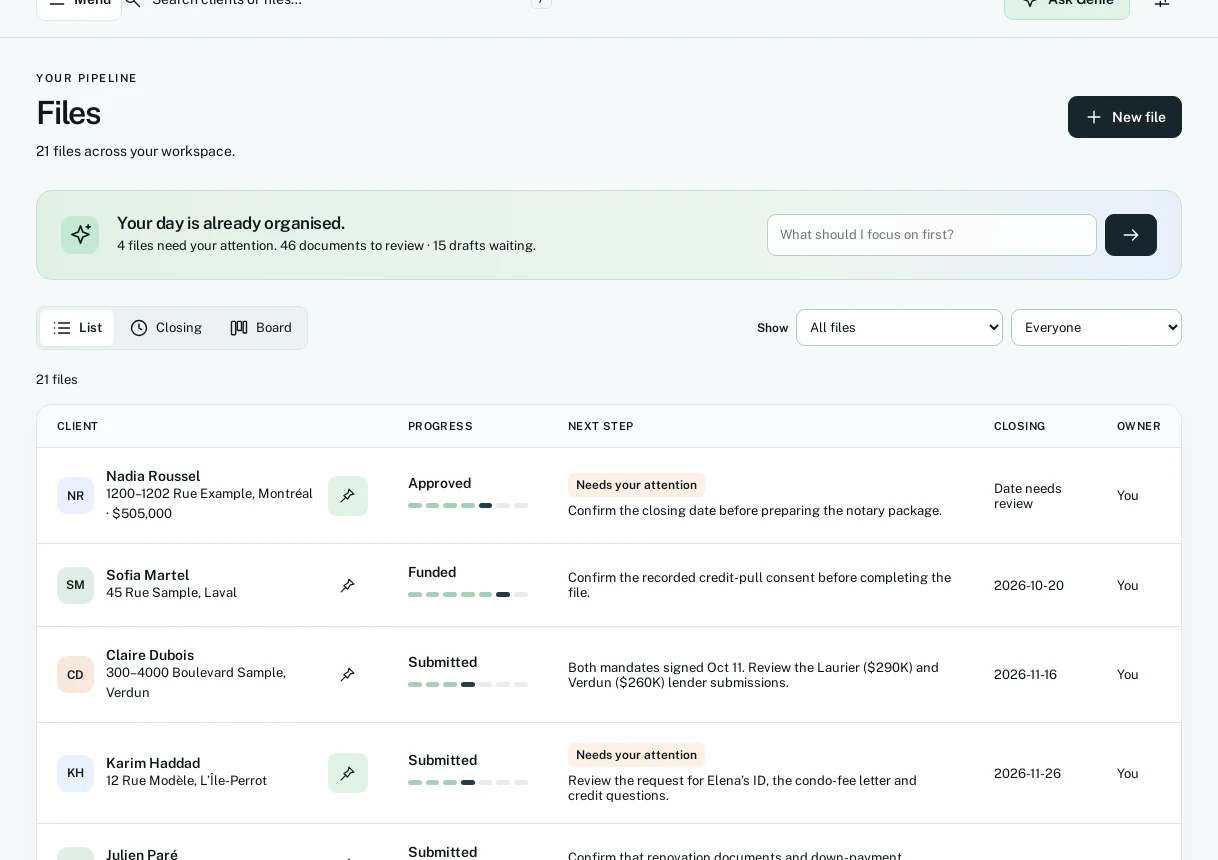
ZeroToFile works in four steps: connect your mailbox, let incoming documents get named and matched to the right client, see what is missing on every file, and approve the follow-ups it prepares. Your tools stay the same, and nothing is sent without your click.
STEP BY STEP
From inbox
to organized file in four steps.
Prefer to watch?
- 01
Connect your mailbox
Sign in with Gmail or Outlook. Connections are permission-based, and Finmo can be connected too. Import documents from Google Drive and OneDrive links shared by email, when access is granted. Until you connect, you can work from your own uploads.
- 02
Documents are recognised and matched
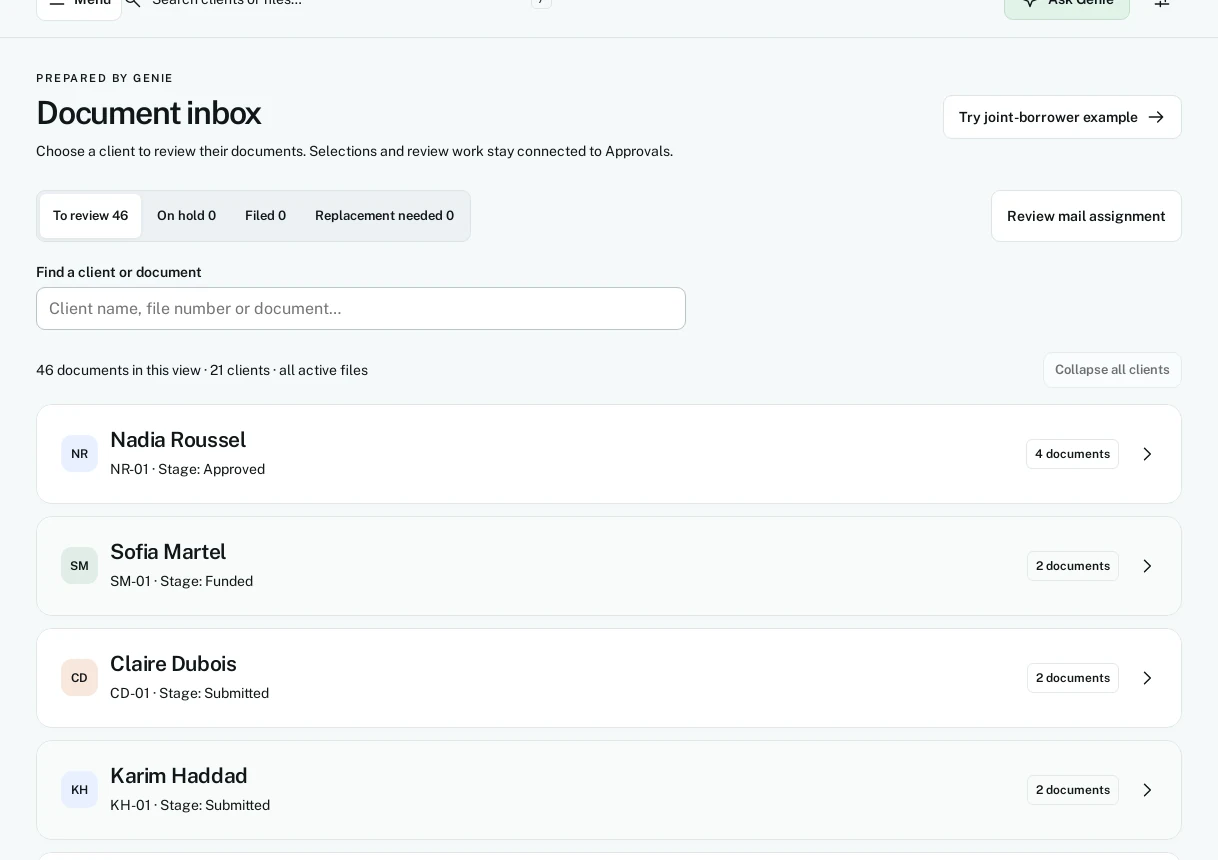
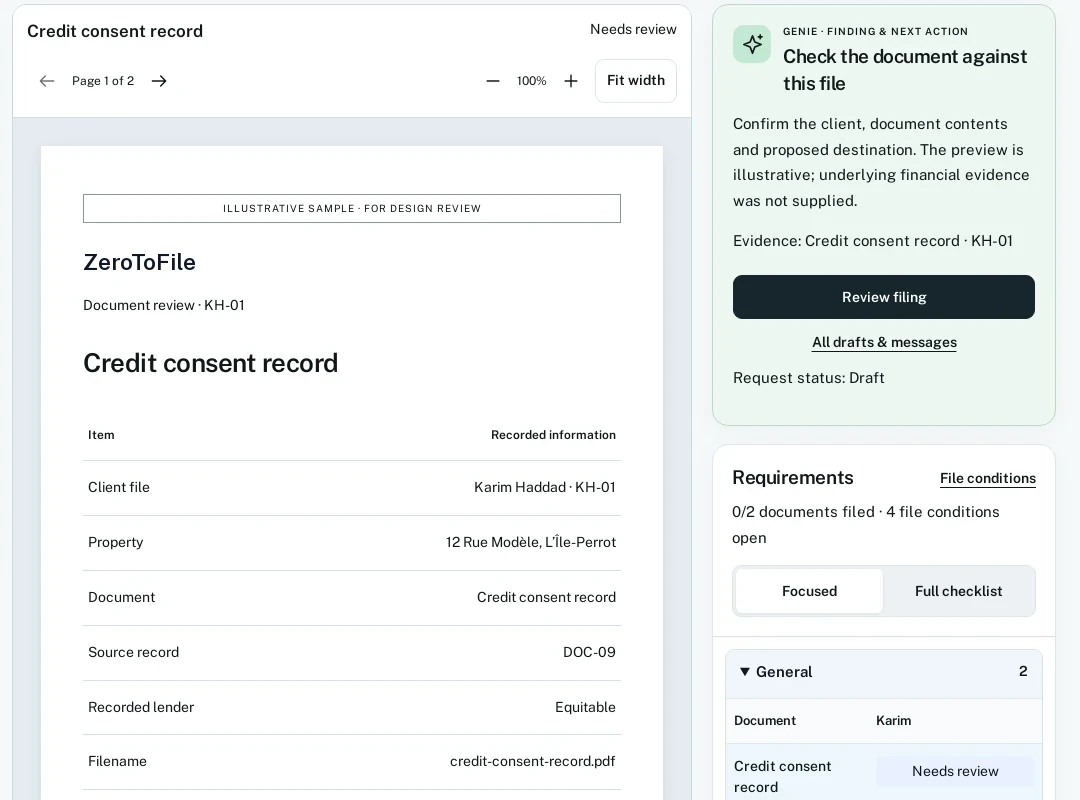
Pay stubs, T4s, Notices of Assessment, statements and property documents are named and matched to the right client, ready for your OK. When a document is unclear, you get one simple question.
- 03
See what is missing on every file
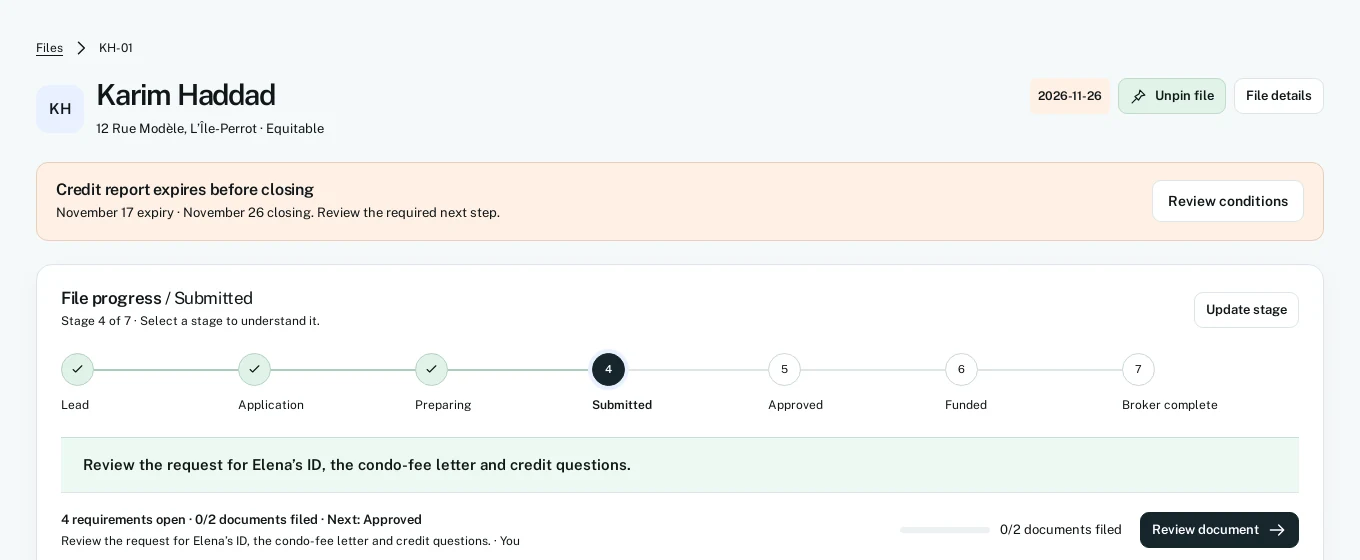
Each file shows where the deal stands, what has arrived and what is still missing. Clients can send what is missing through a secure upload link.
- 04
Approve the next step
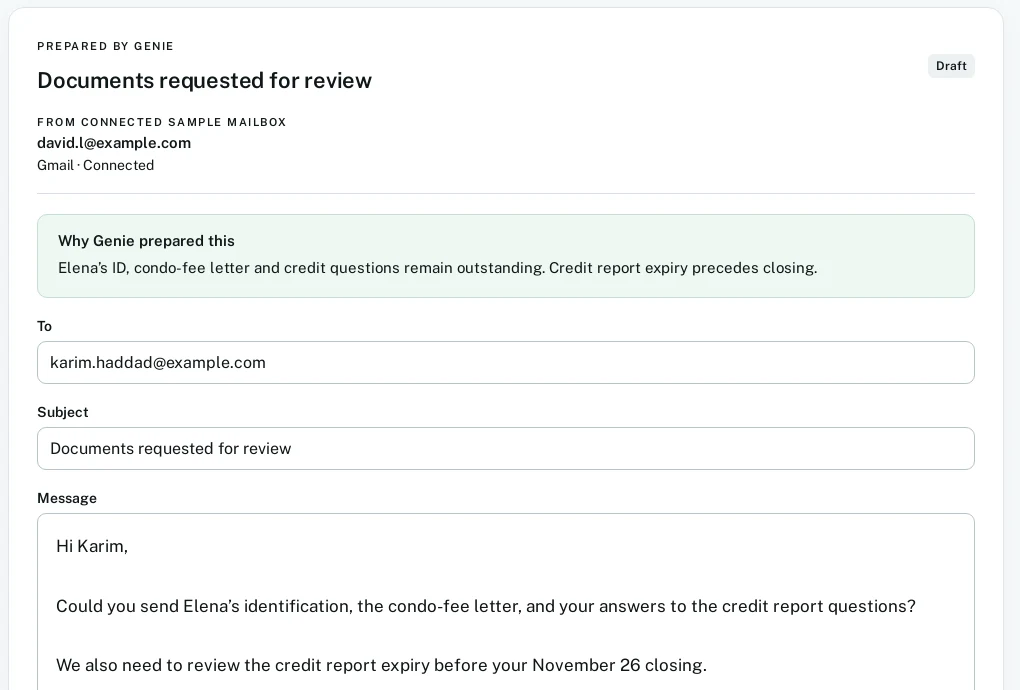
Follow-ups and document requests are prepared for you. Approve, edit or refuse. No email goes out without your click.
SEE EACH STEP
Step inside ZeroToFile.
Product screens shown with a fictional sample file.
Works around your workflow.
Not the other way around.
 Gmail

 Outlook
 Google Drive
 OneDrive



 HubSpot
Do I need to change the tools I use?+
No. ZeroToFile works alongside the tools you already use: your Gmail or Outlook inbox, plus a connection to Finmo. Import documents from Google Drive and OneDrive links shared by email, when access is granted. We confirm the connections available for your brokerage during onboarding.
Which email providers does ZeroToFile work with?+
Gmail and Outlook. You connect your mailbox with a permission-based sign-in, and you can disconnect it at any time.
What happens to the emails already in my mailbox?+
When you connect your mailbox, your agent can look back at up to 45 days of earlier email, depending on the access you grant. Older emails stay in your mailbox.
How do clients send me their documents?+
They can keep emailing you, or use a secure upload link for their file. Each upload lands in the right file and shows up as received.
Does ZeroToFile send emails to my clients on its own?+
No. Every email and document request is prepared for your review first. No email goes out without your click.